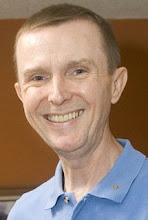
Shortly after Labor Day, a reporter and photographer from the Explorer, Tucson's weekly newspaper, visited with we to talk about preserving personal history on video.
The announcement of my workshops at the annual conference of the Association of Personal Historians kindled the interest of reporter Ty Bowers, who explored the subject of video biographies with me for a couple of hours. The article appeared in the September 12 issue of the paper. You can read the online version here.
Note: The article contained a couple of factual errors. I grew up in Rahway, N.J., not Clifton (I did live in Clifton before moving to Tucson). Also, my grandmothers's bio was long ago viewed by my family.
Monday, November 19, 2007

Monday, September 24, 2007
Join Steve Pender & other personal historians this November!
If video biography and personal history is your cup of tea, you'll want to be in Tennessee this November.
Author and award-winning video biographer Steve Pender of Tucson's Family Legacy Video will present two workshops (Preparing & Conducting a Video Biography Interview & Transcripts With Time Code: The Video Biographer’s Friend) at the Association of Personal Historians (APH) annual conference in Franklin, Tennessee (right next door to Nashville), November 8-12, 2007. More than 300 personal historians - writers, oral historians, and videographers - in the business of “saving lives one story at a time” by creating biographies and memoirs in various formats - will gather from throughout the United States and Canada and as far away as Australia, New Zealand, Argentina and Europe.
According to Steve, “More and more Americans recognize the value of preserving family and personal stories on video in order to create legacies for future generations.” Family Legacy Video caters to this trend by producing video biographies and by teaching folks how to do it themselves.
While virtually unknown a few short years ago, the idea of “saving lives” through professionally videotaped memoirs has exploded in popularity. Today, professionals in the emerging field have translated their backgrounds in journalism, film, oral history, psychology, storytelling, graphic design, publishing, history and education into the business of documenting the lives of clients as well as the histories of corporations and other organizations.
Thirty distinctive workshops, including Steve’s two sessions, are scheduled for the 2007 APH Conference. Each will focus on the skills, equipment and methods personal historians must hone in order to capture lives and memories effectively for future generations. Information about APH and its conference is available at www.personalhistorians.org.
Come join Steve in Tennessee!
Author and award-winning video biographer Steve Pender of Tucson's Family Legacy Video will present two workshops (Preparing & Conducting a Video Biography Interview & Transcripts With Time Code: The Video Biographer’s Friend) at the Association of Personal Historians (APH) annual conference in Franklin, Tennessee (right next door to Nashville), November 8-12, 2007. More than 300 personal historians - writers, oral historians, and videographers - in the business of “saving lives one story at a time” by creating biographies and memoirs in various formats - will gather from throughout the United States and Canada and as far away as Australia, New Zealand, Argentina and Europe.
According to Steve, “More and more Americans recognize the value of preserving family and personal stories on video in order to create legacies for future generations.” Family Legacy Video caters to this trend by producing video biographies and by teaching folks how to do it themselves.
While virtually unknown a few short years ago, the idea of “saving lives” through professionally videotaped memoirs has exploded in popularity. Today, professionals in the emerging field have translated their backgrounds in journalism, film, oral history, psychology, storytelling, graphic design, publishing, history and education into the business of documenting the lives of clients as well as the histories of corporations and other organizations.
Thirty distinctive workshops, including Steve’s two sessions, are scheduled for the 2007 APH Conference. Each will focus on the skills, equipment and methods personal historians must hone in order to capture lives and memories effectively for future generations. Information about APH and its conference is available at www.personalhistorians.org.
Come join Steve in Tennessee!
Thursday, August 02, 2007
Audio tips for two-camera video bio shoots
Let's say you've decided to videotape an interview with two family members. In order to give yourself some options when you edit, you want to shoot them using two cameras. So how do you capture audio? And how do you synch up the tapes from your two cameras during editing?
RECORDING AUDIO
Option 1: You can mount a lapel microphone on each subject, run the mics into a mixer, and feed the outputs of the mixer to the audio inputs of each camera. Of course, in order to do this you need a mixer and someone to mix the audio while you're recording. This is probably not something that's going to be possible for most family projects.
Option 2: Most consumer and many prosumer cameras have only one microphone input. When shooting with two cameras, you'll need to run one microphone to each camera. (Note: Unless you're using stereo microphones, the camera will place the audio on only one half of your camera's stereo channel. You'll need to copy the audio over to the other half of the channel during your edit.)
Option 3: You can buy an audio adaptor that contains two audio inputs. The inputs are of the professional XLR type (three-pin). The output of the adaptor is a mini-plug that plugs into the mic input of your camera. The adaptor will allow you to combine the audio from both mics and send the mixed feed to both left and right channels of your camera OR you can choose to keep each microphone isolated on its own channel. This option requires the purchase of an adaptor and some professional cables, though. If you do go with Option 3, remember that you're feeding the output of the microphones to just one camera. However, your second camera will still need to record audio (you'll be using this camera's audio as a reference only - I'll get to this in just a moment) so make sure the onboard microphone contained in the camera is working.
No matter how you record the audio, keep in mind that you're going to need to synch the tapes from the two cameras during your edit. One technique that will help is to record a very recognizable sound on each tape, a sound you can later use to match your tape positions. If you have a clapper, (you know, the small slate with a handle that slaps the top of the slate, used in motion pictures), that'll be just fine. If you don't have a clapper, use your (or your subject's) own two hands. Start both cameras recording, wait a few seconds, and then clap once, as loudly as you can. Do this each time you start recording. You now have audible reference points on each tape.
SYNCHING TAPES
First of all, you'll need editing software that provides a timeline with a number of video and audio layers. After you digitize your videotapes, you're ready to begin. The first step is to create a "rough edit" during which you synch up all your tapes. Let's say your two-shot is on camera 1. Import tape 1 from camera 1 into video/audio track one. Find your first clap (you'll hear it, of course, but you should also be able to see it clearly on the audio waveform displayed on the audio track) and mark the point with a clip marker. Next, import your close-ups from camera 2. Find the first clap on this tape and then mark it. Finally, line up the two markers.
Now, play the two tapes together on the timeline. If you don't hear any echo, you're right on the money. If you do hear an echo, you may need to shift one of the tapes back or forward by a frame or two. Once the tapes are synched, group them together using your editing software. Grouping guards against accidentally shifting the position of one of the tapes and losing audio synch as a result.
Once the tapes are synched, create another timeline, sequence or project. Use your rough edit as a source and cut and paste segments from your rough cut into the new timeline as you create your final program.
RECORDING AUDIO
Option 1: You can mount a lapel microphone on each subject, run the mics into a mixer, and feed the outputs of the mixer to the audio inputs of each camera. Of course, in order to do this you need a mixer and someone to mix the audio while you're recording. This is probably not something that's going to be possible for most family projects.
Option 2: Most consumer and many prosumer cameras have only one microphone input. When shooting with two cameras, you'll need to run one microphone to each camera. (Note: Unless you're using stereo microphones, the camera will place the audio on only one half of your camera's stereo channel. You'll need to copy the audio over to the other half of the channel during your edit.)
Option 3: You can buy an audio adaptor that contains two audio inputs. The inputs are of the professional XLR type (three-pin). The output of the adaptor is a mini-plug that plugs into the mic input of your camera. The adaptor will allow you to combine the audio from both mics and send the mixed feed to both left and right channels of your camera OR you can choose to keep each microphone isolated on its own channel. This option requires the purchase of an adaptor and some professional cables, though. If you do go with Option 3, remember that you're feeding the output of the microphones to just one camera. However, your second camera will still need to record audio (you'll be using this camera's audio as a reference only - I'll get to this in just a moment) so make sure the onboard microphone contained in the camera is working.
No matter how you record the audio, keep in mind that you're going to need to synch the tapes from the two cameras during your edit. One technique that will help is to record a very recognizable sound on each tape, a sound you can later use to match your tape positions. If you have a clapper, (you know, the small slate with a handle that slaps the top of the slate, used in motion pictures), that'll be just fine. If you don't have a clapper, use your (or your subject's) own two hands. Start both cameras recording, wait a few seconds, and then clap once, as loudly as you can. Do this each time you start recording. You now have audible reference points on each tape.
SYNCHING TAPES
First of all, you'll need editing software that provides a timeline with a number of video and audio layers. After you digitize your videotapes, you're ready to begin. The first step is to create a "rough edit" during which you synch up all your tapes. Let's say your two-shot is on camera 1. Import tape 1 from camera 1 into video/audio track one. Find your first clap (you'll hear it, of course, but you should also be able to see it clearly on the audio waveform displayed on the audio track) and mark the point with a clip marker. Next, import your close-ups from camera 2. Find the first clap on this tape and then mark it. Finally, line up the two markers.
Now, play the two tapes together on the timeline. If you don't hear any echo, you're right on the money. If you do hear an echo, you may need to shift one of the tapes back or forward by a frame or two. Once the tapes are synched, group them together using your editing software. Grouping guards against accidentally shifting the position of one of the tapes and losing audio synch as a result.
Once the tapes are synched, create another timeline, sequence or project. Use your rough edit as a source and cut and paste segments from your rough cut into the new timeline as you create your final program.
Tuesday, July 03, 2007
Drop a pebble in the water...
Drop a pebble in the water; just a splash and it is gone;
But there's a half-a-hundred ripples circling on and on,
Spreading, spreading, from the center, flowing on out to the sea
And there's no way of telling where the end is going to be...
- Anonymous
On October 5, 2006, during the opening session of the annual conference for the Association of Personal Historians, I experienced a keynote address that was the most inspiring I've ever heard. The speaker was Bob Welch. He's a columnist for The Register-Guard newspaper in Eugene, Oregon, and an author. His talk chronicled his experiences researching and writing his book, American Nightingale - The Story of Frances Slanger, Forgotten Heroine of Normandy.
Frances Slanger was the first American nurse to die after the D-Day landings. She was killed the night after writing a letter to Stars and Stripes, a letter that praised American GIs and, in turn, inspired many of those soldiers to write letters in response. It's a fascinating, inspiring and heartwarming story. And what I'd like to do is focus on a small part of that story: the poem you see above.
A copy of the poem was found in Slanger's "chapbook," a scrapbook-like volume filled with writings and poems she held dear. As Welch pointed out in his address, it's a poem that speaks volumes to those of us dedicated to preserving personal and family stories and histories.
That's because we're the pebbles. When you start out to create a family or personal history, you create an initial splash. And the ripples from that splash, your efforts, can produce unexpected and delightful results.
In my own case, I never would have dreamt back in 1998 that the video biography I produced about my grandmother's life would impact my family as greatly as it did. The video continues to provide comfort to the children who miss her dearly. At least one grandchild included the video in a history project at his school. And, years later, it helped spawn Family Legacy Video, Inc., helping others preserve their precious histories. So the ripples continue to this day.
And, as the ripples of your efforts continue to spread, you'll find you inspire others to tell their stories. There's just no end to this personal history "ripple effect." It will continue for years, and generations, to come.
So go ahead. Drop a pebble in the water. Do it today.
But there's a half-a-hundred ripples circling on and on,
Spreading, spreading, from the center, flowing on out to the sea
And there's no way of telling where the end is going to be...
- Anonymous
On October 5, 2006, during the opening session of the annual conference for the Association of Personal Historians, I experienced a keynote address that was the most inspiring I've ever heard. The speaker was Bob Welch. He's a columnist for The Register-Guard newspaper in Eugene, Oregon, and an author. His talk chronicled his experiences researching and writing his book, American Nightingale - The Story of Frances Slanger, Forgotten Heroine of Normandy.
Frances Slanger was the first American nurse to die after the D-Day landings. She was killed the night after writing a letter to Stars and Stripes, a letter that praised American GIs and, in turn, inspired many of those soldiers to write letters in response. It's a fascinating, inspiring and heartwarming story. And what I'd like to do is focus on a small part of that story: the poem you see above.
A copy of the poem was found in Slanger's "chapbook," a scrapbook-like volume filled with writings and poems she held dear. As Welch pointed out in his address, it's a poem that speaks volumes to those of us dedicated to preserving personal and family stories and histories.
That's because we're the pebbles. When you start out to create a family or personal history, you create an initial splash. And the ripples from that splash, your efforts, can produce unexpected and delightful results.
In my own case, I never would have dreamt back in 1998 that the video biography I produced about my grandmother's life would impact my family as greatly as it did. The video continues to provide comfort to the children who miss her dearly. At least one grandchild included the video in a history project at his school. And, years later, it helped spawn Family Legacy Video, Inc., helping others preserve their precious histories. So the ripples continue to this day.
And, as the ripples of your efforts continue to spread, you'll find you inspire others to tell their stories. There's just no end to this personal history "ripple effect." It will continue for years, and generations, to come.
So go ahead. Drop a pebble in the water. Do it today.
Thursday, June 21, 2007
Get double the coverage on your next family interview.
"Two cameras! Why would I want to shoot an interview using two cameras? I can barely manage one."
Okay, I hear you. And, for the most part, one camera is all you're ever going to really need to videotape your family interviews. BUT, if you're feeling adventurous, there are times when two cameras can really come in handy.
Situation 1: Let's say you're doing an interview with a subject who has very few visuals (photos, films, memorabilia, etc.) available to lend visual interest to the finished program. Setting up two cameras (one a wide shot and one a close-up), gives you the option of cutting from one camera to the other during your edit. This lends some visual interest. It also helps when you want to rearrange answers or cut out some material. Let's say you're on the close up. You reach a point where you need to cut out some material. Simply end the close-up and pick up the new segment on the wide shot. This'll help hide the fact that you eliminated some of the interview.
Situation 2: Maybe you're interviewing two or three relatives at a sitting. What you can do is set up your first camera on a wide shot, so that you always see the entire group. Use your second camera to zoom in on whomever is speaking. You can hide any sloppiness that occurs as you move your close-up camera from subject to subject by covering those moves with your wide shot. And again, always having two different angles can hide cuts you make within the interview.
Of course, there are some challenges that result from using multiple cameras. You'll have double the amount of tape, for one. Plus, you need to have a plan for recording audio on both cameras. And then you'll have to line up the footage from both cameras in your editing timeline so that the audio and video from both cameras are in sync.
First of all, you'll need editing software that provides a timeline with a number of video and audio layers. After you digitize your videotapes, you're ready to begin. The first step is to create a "rough edit" during which you synch up all your tapes. Let's say your two-shot is on camera 1. Import tape 1 from camera 1 into video/audio track one. Find your first clap (you'll hear it, of course, but you should also be able to see it clearly on the audio waveform displayed on the audio track) and mark the point with a clip marker. Next, import your close-ups from camera 2. Find the first clap on this tape and then mark it. Finally, line up the two markers.
Now, play the two tapes together on the timeline. If you don't hear any echo, you're right on the money. If you do hear an echo, you may need to shift one of the tapes back or forward by a frame or two. Once the tapes are synched, group them together using your editing software. Grouping guards against accidentally shifting the position of one of the tapes and losing audio synch as a result.
Once the tapes are synched, create another timeline, sequence or project. Use your rough edit as a source and cut and paste segments from your rough cut into the new timeline as you create your final program.
Okay, I hear you. And, for the most part, one camera is all you're ever going to really need to videotape your family interviews. BUT, if you're feeling adventurous, there are times when two cameras can really come in handy.
Situation 1: Let's say you're doing an interview with a subject who has very few visuals (photos, films, memorabilia, etc.) available to lend visual interest to the finished program. Setting up two cameras (one a wide shot and one a close-up), gives you the option of cutting from one camera to the other during your edit. This lends some visual interest. It also helps when you want to rearrange answers or cut out some material. Let's say you're on the close up. You reach a point where you need to cut out some material. Simply end the close-up and pick up the new segment on the wide shot. This'll help hide the fact that you eliminated some of the interview.
Situation 2: Maybe you're interviewing two or three relatives at a sitting. What you can do is set up your first camera on a wide shot, so that you always see the entire group. Use your second camera to zoom in on whomever is speaking. You can hide any sloppiness that occurs as you move your close-up camera from subject to subject by covering those moves with your wide shot. And again, always having two different angles can hide cuts you make within the interview.
Of course, there are some challenges that result from using multiple cameras. You'll have double the amount of tape, for one. Plus, you need to have a plan for recording audio on both cameras. And then you'll have to line up the footage from both cameras in your editing timeline so that the audio and video from both cameras are in sync.
First of all, you'll need editing software that provides a timeline with a number of video and audio layers. After you digitize your videotapes, you're ready to begin. The first step is to create a "rough edit" during which you synch up all your tapes. Let's say your two-shot is on camera 1. Import tape 1 from camera 1 into video/audio track one. Find your first clap (you'll hear it, of course, but you should also be able to see it clearly on the audio waveform displayed on the audio track) and mark the point with a clip marker. Next, import your close-ups from camera 2. Find the first clap on this tape and then mark it. Finally, line up the two markers.
Now, play the two tapes together on the timeline. If you don't hear any echo, you're right on the money. If you do hear an echo, you may need to shift one of the tapes back or forward by a frame or two. Once the tapes are synched, group them together using your editing software. Grouping guards against accidentally shifting the position of one of the tapes and losing audio synch as a result.
Once the tapes are synched, create another timeline, sequence or project. Use your rough edit as a source and cut and paste segments from your rough cut into the new timeline as you create your final program.
Friday, May 04, 2007
Capture that performance on video!
It was June 28, a few minutes past 2 PM on a hot Tucson afternoon, when I received a call from a gentleman in Wisconsin. It seems his dad, an avid amateur pianist, was hosting a house concert in Green Valley (south of Tucson) on July 1. The caller had never seen his father present a concert and was anxious to have it preserved on video. "Can you videotape the concert?" he asked.
Long story short, I spent the evening of July 1 documenting a wonderful program of Chopin performed by my client's father for about a dozen friends. I was not only treated to some uplifting music, but also learned a few things about the history of the piano and the life of Chopin during short talks interspersed between musical selections.
I think it's terrific that my client cared enough about his dad to preserve a record of his passion for the piano. Not only will the concert video be enjoyed now, but it will also be a valuable keepsake for future generations. And the footage can also become part of a future video biography.
So if you get the opportunity (or can make the opportunity) to capture the special talents of a loved one on video, go for it! You'll have both a unique recording for your family to enjoy - and valuable footage you can use in a future family legacy video.
Long story short, I spent the evening of July 1 documenting a wonderful program of Chopin performed by my client's father for about a dozen friends. I was not only treated to some uplifting music, but also learned a few things about the history of the piano and the life of Chopin during short talks interspersed between musical selections.
I think it's terrific that my client cared enough about his dad to preserve a record of his passion for the piano. Not only will the concert video be enjoyed now, but it will also be a valuable keepsake for future generations. And the footage can also become part of a future video biography.
So if you get the opportunity (or can make the opportunity) to capture the special talents of a loved one on video, go for it! You'll have both a unique recording for your family to enjoy - and valuable footage you can use in a future family legacy video.
Saturday, March 31, 2007
Looking to jog some memories? Try a road trip.
Have you ever gone back to visit the home where you grew up? Your first school? Or any other buildings or places that figured prominently in your childhood? I bet your visits prompted a flood of memories. You can harness that power of place to help the subject of your next video biography recall memories and stories from his or her life.
A while ago I took a walk through my old New Jersey neighborhood, still filled with tree-lined streets and small, post World War II bungalows. My childhood home looked completely different, with a second story added and lacking all of the trees that used to shade our corner lot. Even so, just looking at the property brought back memories - of events and feelings. I remembered what it felt like to climb those old trees, clear the yard of leaves each autumn (and jump in the leaf piles, of course) and, for some reason, I vividly remembered what it felt like to run from my backyard onto the narrow stone path leading to our side door, and slam that door shut as I charged into the house. Quite frankly, I was surprised at how spontaneous and keenly felt that simple memory was.
A member of my Rotary club recently told me how he took his dad on a tour of the homes that figured prominently in his life. Video camera in hand, he'd stand his father in front of one of his boyhood homes and record the stories and remembrances the place stimulated.
If you think a road trip may be in order for your next video biography, here are some tips to consider:
Plan ahead. If you'd like to shoot on a property, contact the current property owners, explain what you'd like to do, and get their permission. Remember - no trespassing! At the very least, if you're not on their property but are including the building in your shot, just knock on the owner's door and let him/her know what you're doing. Who knows, maybe you'll get invited inside.
Locked down or hand held? You may opt to set your camera on a tripod, and videotape with your subject between the camera and the building, the way you always see TV reporters shot when they're reporting from the White House. Another option is to follow your subject as he/she walks the property and relates their memories. You can do this by taking your tripod with you, setting up a shot to establish an area, and then having your subject walk into the shot and speak. Or, if you're steady enough, you can ditch the tripod and shoot hand held.
Audio. You're going to want to mic your subject as closely as possible. This means a lapel (also called a lavaliere) mic. If you're going to simply have your subject stand and talk, you may be able to get away with an extension cable so you can attach the microphone directly to your camera. However, if you plan on doing any walking and talking, think about renting or purchasing a wireless microphone. A wireless mic has a small transmitter your subject wears on a belt or sticks in a pocket. The audio is sent to a receiver that connects to the audio input of your camera.
Places figure prominently in our lives. And, with a little planning and creativity, you can use them to generate some interesting visuals and some fascinating memories.
A while ago I took a walk through my old New Jersey neighborhood, still filled with tree-lined streets and small, post World War II bungalows. My childhood home looked completely different, with a second story added and lacking all of the trees that used to shade our corner lot. Even so, just looking at the property brought back memories - of events and feelings. I remembered what it felt like to climb those old trees, clear the yard of leaves each autumn (and jump in the leaf piles, of course) and, for some reason, I vividly remembered what it felt like to run from my backyard onto the narrow stone path leading to our side door, and slam that door shut as I charged into the house. Quite frankly, I was surprised at how spontaneous and keenly felt that simple memory was.
A member of my Rotary club recently told me how he took his dad on a tour of the homes that figured prominently in his life. Video camera in hand, he'd stand his father in front of one of his boyhood homes and record the stories and remembrances the place stimulated.
If you think a road trip may be in order for your next video biography, here are some tips to consider:
Plan ahead. If you'd like to shoot on a property, contact the current property owners, explain what you'd like to do, and get their permission. Remember - no trespassing! At the very least, if you're not on their property but are including the building in your shot, just knock on the owner's door and let him/her know what you're doing. Who knows, maybe you'll get invited inside.
Locked down or hand held? You may opt to set your camera on a tripod, and videotape with your subject between the camera and the building, the way you always see TV reporters shot when they're reporting from the White House. Another option is to follow your subject as he/she walks the property and relates their memories. You can do this by taking your tripod with you, setting up a shot to establish an area, and then having your subject walk into the shot and speak. Or, if you're steady enough, you can ditch the tripod and shoot hand held.
Audio. You're going to want to mic your subject as closely as possible. This means a lapel (also called a lavaliere) mic. If you're going to simply have your subject stand and talk, you may be able to get away with an extension cable so you can attach the microphone directly to your camera. However, if you plan on doing any walking and talking, think about renting or purchasing a wireless microphone. A wireless mic has a small transmitter your subject wears on a belt or sticks in a pocket. The audio is sent to a receiver that connects to the audio input of your camera.
Places figure prominently in our lives. And, with a little planning and creativity, you can use them to generate some interesting visuals and some fascinating memories.
Thursday, January 25, 2007
Begin your video biography now. Here's how you start.
The process of creating your family history video begins with a vision. Your vision. Now, don't be intimidated by the word "vision." All it means is the way you imagine your video is going to look and sound. The clearer your vision, the easier it will be for you to pull together the resources you'll need to make your video. For example, your vision may be for a simple, on-camera interview. Or you may want to create something a bit more involved, including stills, family videos and music.
If you've been watching TV most of your life, you've been exposed to a wide variety of video techniques. You probably just haven't really paid much attention to them. Watch some of your favorite documentaries in the next few days or weeks and take note of what you see and hear. Is the show comprised of nothing but on-screen interviews? Or are the interviews combined with still photos, film and video clips? How do the shows proceed from one topic or scene to the next? What kinds of transitions are used?
Once you have an idea of how TV programs are structured, take the next step and imagine the video biography you'd like to create. Who is in it? What are they talking about? What kinds of things do you see and hear? Make some notes of your thoughts and ideas. Store your notes in a folder or three ring binder to keep them handy and organized.
Congratulations - you now have a vision for your video. You're on your way!
If you've been watching TV most of your life, you've been exposed to a wide variety of video techniques. You probably just haven't really paid much attention to them. Watch some of your favorite documentaries in the next few days or weeks and take note of what you see and hear. Is the show comprised of nothing but on-screen interviews? Or are the interviews combined with still photos, film and video clips? How do the shows proceed from one topic or scene to the next? What kinds of transitions are used?
Once you have an idea of how TV programs are structured, take the next step and imagine the video biography you'd like to create. Who is in it? What are they talking about? What kinds of things do you see and hear? Make some notes of your thoughts and ideas. Store your notes in a folder or three ring binder to keep them handy and organized.
Congratulations - you now have a vision for your video. You're on your way!
Wednesday, December 13, 2006
How can our video biography workshops benefit you? Let us know!
November's "Create Your Own Video Biography" workshop was fun and informative for all! And now that the 2006 workshop season is a wrap, we'd like to hear how to make our 2007 workshops even more beneficial for you. Please take a moment to fill out our online workshop survey. It's an easy way to get your name on our waiting list - AND your answers will help Family Legacy Video design a workshop experience that will help you.
Click here to fill out the survey.
Click here to fill out the survey.
Capture family memories on video during the holidays
An interview with my mom - it's been something I've been wanting to do for a long time. And this year I finally did it. Mom came out from New Jersey to celebrate two November milestone birthdays (I turned 50 and she reached 70) as well as Thanksgiving, which was sandwiched in between. We had a great visit, and on the day after we celebrated her birthday, we sat down for an interview that celebrated her life.
I'm so glad I took advantage of her holiday visit to preserve my mother's stories on video. And this holiday season I urge you to do the same. A holiday visit can afford you the time you need to interview family members you may not see during the rest of the year. If you have a relative whose memories you'd like to record, give them a call and arrange an interview while he or she is in your neck of the woods.
Here's another idea: We all have lots of memories centered around the holidays. Think about grabbing short interviews with as many family members as possible - interviews that focus solely on their remembrances of past Christmas, Hanukkah, Solstice, Kwanzaa and/or New Year's celebrations. Then use these interviews to create a "family holiday memories" DVD that you and your family will treasure.
Whatever holiday you're celebrating this month, have a wonderful time - and don't forget to capture some of your family storytellers on video!
I'm so glad I took advantage of her holiday visit to preserve my mother's stories on video. And this holiday season I urge you to do the same. A holiday visit can afford you the time you need to interview family members you may not see during the rest of the year. If you have a relative whose memories you'd like to record, give them a call and arrange an interview while he or she is in your neck of the woods.
Here's another idea: We all have lots of memories centered around the holidays. Think about grabbing short interviews with as many family members as possible - interviews that focus solely on their remembrances of past Christmas, Hanukkah, Solstice, Kwanzaa and/or New Year's celebrations. Then use these interviews to create a "family holiday memories" DVD that you and your family will treasure.
Whatever holiday you're celebrating this month, have a wonderful time - and don't forget to capture some of your family storytellers on video!
Sunday, October 29, 2006
Of weddings, keepsakes and video biographies
They're white satin bags, fringed with lace and dotted with pearl-like beads. They're bridal bags, designed to hold the cards given to a bride on her wedding day. Even though they've been emptied of the cards, cash and checks that once filled them, the bags are still filled with the love of their maker and are cherished by the brides who own them.
My wife and I hopped a flight from Arizona to the New Jersey in April to attend the wedding of my youngest female cousin. The service was beautiful and the reception was a blast. Throughout the day's celebration, I couldn't help thinking of my grandmother. Gram died suddenly in 1998. Before her death she was a fixture at every family event and was always the life of every party. It's a shame she wasn't around to attend the wedding of her youngest granddaughter. But, when I saw the bride's aunt holding the satin bag, brimming with cards, I knew that Gram was certainly there in spirit.
You see, Gram made it a point to sew a satin bridal bag for each and every new bride in our family. It didn't matter whether the young lady was related by blood, or was soon to be related by marriage. Gram didn't discriminate. Gram also planned ahead. Realizing she might not live long enough to attend the weddings of her two youngest granddaughters, she made their bags far in advance and gave them to her daughter (her granddaughters' mom) for safe keeping. And now, years after Grams death, each granddaughter in turn has spent her wedding reception with one of her grandmother's custom made bags dangling from her wrist.
So what's this got to do with video biographies? Quite simply, your video biography, like one of those satin bags, is sure to become a treasured family keepsake. Think of it as physical expression of your love, filled with your memories, stories and values; a wonderful legacy that will valued for generations.
My wife and I hopped a flight from Arizona to the New Jersey in April to attend the wedding of my youngest female cousin. The service was beautiful and the reception was a blast. Throughout the day's celebration, I couldn't help thinking of my grandmother. Gram died suddenly in 1998. Before her death she was a fixture at every family event and was always the life of every party. It's a shame she wasn't around to attend the wedding of her youngest granddaughter. But, when I saw the bride's aunt holding the satin bag, brimming with cards, I knew that Gram was certainly there in spirit.
You see, Gram made it a point to sew a satin bridal bag for each and every new bride in our family. It didn't matter whether the young lady was related by blood, or was soon to be related by marriage. Gram didn't discriminate. Gram also planned ahead. Realizing she might not live long enough to attend the weddings of her two youngest granddaughters, she made their bags far in advance and gave them to her daughter (her granddaughters' mom) for safe keeping. And now, years after Grams death, each granddaughter in turn has spent her wedding reception with one of her grandmother's custom made bags dangling from her wrist.
So what's this got to do with video biographies? Quite simply, your video biography, like one of those satin bags, is sure to become a treasured family keepsake. Think of it as physical expression of your love, filled with your memories, stories and values; a wonderful legacy that will valued for generations.
Tuesday, September 19, 2006
Join the November Video Bio Workshop
"Create Your Own Video Biography" workshops from Family Legacy Video offer three jam-packed days filled with inspiration, learning and fun - and leave you with the tools you need to preserve your own precious family stories on video. Our next workshop takes place in Tucson, Arizona this November.
The Tucson workshop runs from November 10 to 12 (Friday to Sunday). The venue is the meeting room at the Arizona Small Business Association, in the Crossroads Festival Shopping Center, 4811 East Grant Road (the corner of Grant and Swan), in Tucson.
The early bird deadline for the Tucson workshop: October 3.
"Create Your Own Video Biography" workshops from Family Legacy Video offer three jam-packed days filled with inspiration, learning and fun - and leave you with the tools you need to preserve your own precious family stories on video.
SO if you're itching to tackle your own do-it-yourself video biography project -
BUT you lack the skills and experience you need to move forward -
THIS IS YOUR CHANCE to learn professional video production tips and techniques.
Complete details (along with testimonials from past workshop participants) are on the workshop page of the Family Legacy Video Web site.
The Tucson workshop runs from November 10 to 12 (Friday to Sunday). The venue is the meeting room at the Arizona Small Business Association, in the Crossroads Festival Shopping Center, 4811 East Grant Road (the corner of Grant and Swan), in Tucson.
The early bird deadline for the Tucson workshop: October 3.
"Create Your Own Video Biography" workshops from Family Legacy Video offer three jam-packed days filled with inspiration, learning and fun - and leave you with the tools you need to preserve your own precious family stories on video.
SO if you're itching to tackle your own do-it-yourself video biography project -
BUT you lack the skills and experience you need to move forward -
THIS IS YOUR CHANCE to learn professional video production tips and techniques.
Complete details (along with testimonials from past workshop participants) are on the workshop page of the Family Legacy Video Web site.
Is stock footage beyond your reach? Maybe not.
Stock historical footage. We've all seen it used in the movies and on TV. Thanks to early documentary film makers and newsreel cameramen, long ago events, from the major to the mundane, still live on in grainy, black and white moving images. Most of those clips are owned by stock footage libraries. These companies license the rights to various clips to video and film producers - and the rights can be very expensive. We're talking hundreds and thousands of dollars for a few seconds to a few minutes of video, way more than most family video biographers can afford. But what if you really want to include some historical clips in your family video, both to bring a particular era to life and to give your video that History Channel look? Do you have any low cost options? Actually, you do.
Some of our taxes do go to support worthy government institutions, and one of them is the Library of Congress. In addition to print materials, the Library of Congress houses some great early film collections in its American Memory Collection. Some of the films are in the public domain, which means you don't have to pay to use them (however you may be required to credit the Library of Congress on screen). You have the option of downloading clips or of having them copied to tape and shipped to you. If the clips you want are public domain, all you have to pay for is shipping and duplication. I recently purchased a copy of some early Ellis Island footage (stills from the footage are at left and at the top of the newsletter). I was very happy with the service and the quality of the copy. Several video formats are offered, but most home video biographers will need to opt for VHS.
Another option is an online resource called the Internet Archive. The site contains a variety of films and videos available for download. Some of the material is free to use in your video and some of it isn't. Downloads can take a while and, once you have the clip, you'll most probably need to convert it to a file your editing software will accept. I used Blaze Media Pro to convert some clips to avi files. The software worked just fine.
So, take heart. With a little online detective work, you may be able to find some free and low cost stock footage to add some pizzazz to your next video biography.
Some of our taxes do go to support worthy government institutions, and one of them is the Library of Congress. In addition to print materials, the Library of Congress houses some great early film collections in its American Memory Collection. Some of the films are in the public domain, which means you don't have to pay to use them (however you may be required to credit the Library of Congress on screen). You have the option of downloading clips or of having them copied to tape and shipped to you. If the clips you want are public domain, all you have to pay for is shipping and duplication. I recently purchased a copy of some early Ellis Island footage (stills from the footage are at left and at the top of the newsletter). I was very happy with the service and the quality of the copy. Several video formats are offered, but most home video biographers will need to opt for VHS.
Another option is an online resource called the Internet Archive. The site contains a variety of films and videos available for download. Some of the material is free to use in your video and some of it isn't. Downloads can take a while and, once you have the clip, you'll most probably need to convert it to a file your editing software will accept. I used Blaze Media Pro to convert some clips to avi files. The software worked just fine.
So, take heart. With a little online detective work, you may be able to find some free and low cost stock footage to add some pizzazz to your next video biography.
Saturday, July 15, 2006
Historical details add depth to personal histories
You've decided to create a video biography chronicling your life, or the life of one of your family members. That's great! You're sure to capture lots of great personal stories. But as you go about planning your interview, don't forget to include some questions that put your subject's personal history in the context of national and/or world history.
We all know how quickly times change. Asking your subject to reminisce about what things were like on the home front during World War II, for example, or during other times of nationwide joy or catastrophe can provide details that evoke a sense of time and place and add depth and texture to the story.
Here's an example. I recently received a wonderful e-mail from a new Family Legacy Video customer in England. She lives in Eastbourne, on England's south coast. She has a love for personal and oral history and is a budding video biographer. I thought you'd enjoy some of what she had to say:
"Being right on the south coast, you can imagine how many Battle of Britain stories people have. All the hotels along the seafront were billeted to Canadian and American soldiers. Eastbourne was a major target for German planes during WW II, and was the second most bombed town on the south coast. I'll finish with a 'little history' from the last interview I transcribed:
Anyhow, we heard these aircraft and then one or two came over the woods, so low that you could actually see the Germans in their cock pits, only a matter of a few hundred feet. I suppose they were flying low to escape the RAF, and they'd obviously been on an attack, probably on London, and they came back and they still had their bombs onboard. And having seen them pass so low over the farm, we then ran round the back. We watched them heading off toward the English Channel and then they dropped their bombs-trying to hit the railway just between Stone Cross and Westham. We saw the plumes of earth going up from these bombs. The other thing about aircraft noise was; the house or the farm opposite the Hall was called Montague, and they had some evacuated horses, dray horses from London, grazing on the field there. And the extraordinary thing about these horses that had experienced the Blitz in London was; if they heard the German aircraft they would rush round the field in great panic but an RAF aircraft didn't stir them, they didn't react the same way and they were quite content to graze. They obviously associated the German aircraft noises with the noise and threat of bombs.
I love the 'little' history about the dray horses, how many people would know that unless the lived on the farm next door?"
What a great picture that story paints - and who would've thought horses could tell the difference between German and British airplane engines! These are the kinds of details that really help evoke a sense of time and place and that you should strive to bring out during your next video biography interview.
We all know how quickly times change. Asking your subject to reminisce about what things were like on the home front during World War II, for example, or during other times of nationwide joy or catastrophe can provide details that evoke a sense of time and place and add depth and texture to the story.
Here's an example. I recently received a wonderful e-mail from a new Family Legacy Video customer in England. She lives in Eastbourne, on England's south coast. She has a love for personal and oral history and is a budding video biographer. I thought you'd enjoy some of what she had to say:
"Being right on the south coast, you can imagine how many Battle of Britain stories people have. All the hotels along the seafront were billeted to Canadian and American soldiers. Eastbourne was a major target for German planes during WW II, and was the second most bombed town on the south coast. I'll finish with a 'little history' from the last interview I transcribed:
Anyhow, we heard these aircraft and then one or two came over the woods, so low that you could actually see the Germans in their cock pits, only a matter of a few hundred feet. I suppose they were flying low to escape the RAF, and they'd obviously been on an attack, probably on London, and they came back and they still had their bombs onboard. And having seen them pass so low over the farm, we then ran round the back. We watched them heading off toward the English Channel and then they dropped their bombs-trying to hit the railway just between Stone Cross and Westham. We saw the plumes of earth going up from these bombs. The other thing about aircraft noise was; the house or the farm opposite the Hall was called Montague, and they had some evacuated horses, dray horses from London, grazing on the field there. And the extraordinary thing about these horses that had experienced the Blitz in London was; if they heard the German aircraft they would rush round the field in great panic but an RAF aircraft didn't stir them, they didn't react the same way and they were quite content to graze. They obviously associated the German aircraft noises with the noise and threat of bombs.
I love the 'little' history about the dray horses, how many people would know that unless the lived on the farm next door?"
What a great picture that story paints - and who would've thought horses could tell the difference between German and British airplane engines! These are the kinds of details that really help evoke a sense of time and place and that you should strive to bring out during your next video biography interview.
Join our September video biography workshop!
"Create Your Own Video Biography" workshops from Family Legacy Video offer three jam-packed days filled with inspiration, learning and fun - and leave you with the tools you need to preserve your own precious family stories on video. Our next workshop takes place this September - and you're invited!
The workshop will run from September 8 to 10 (Friday to Sunday). And this time we're holding the event in an actual television production facility - Skyline Productions, 65 S. Sycamore in Mesa, Arizona. For those of you outside of the area, there are nearby hotels and motels. And September in Arizona is a good time to get off-season hotel rates.
SO if you're itching to tackle your own do-it-yourself video biography project -
BUT you lack the skills and experience you need to move forward -
THIS IS YOUR CHANCE to learn professional video production tips and techniques.
Reserve your spot for the September workshop now. Early bird rates apply until August 4. Complete details (along with testimonials from past workshop participants) are on the workshop page of the Family Legacy Video Web site.
Sunday, June 18, 2006
Why create a video biography? Some reasons for reluctant relatives.
It's too much work. I don't look good on camera. I don't have much to say. I already have lots of photo albums - why should I make a video?
If you've tried to convince a reticent parent or grandparent to sit for a video biography interview, you've probably heard excuses like these. Than again, maybe you're the parent or grandparent offering up the excuses. So why is a video biography an invaluable addition to any family history effort? And how can you overcome resistance to such a project, either from other family members or yourself? Here are some answers to those excuses.
It's too much work. No doubt about it - a video biography requires organization, planning, passion and some technical savvy. But that doesn't mean the project needs to be overwhelming. If your family is creating the video, the key to success is breaking the process down into steps, like those outlined in the Family Legacy Video Producer's Guide. If you're hiring a video biography company to produce the video for you, make sure you find a company that will clearly explain and usher you and your family through each stage of the production - and let you know what role you need to play and what elements you need to provide.
If you're the one pushing for the video, offer your subject lots of support. Tell him or her you'll help sort and organize photos, films and memorabilia. Schedule regular visits or phone calls in order to delve into family history and life stories. Tell him/her that you'll keep all the notes and write the questions; all he/she will have to do is sit down in front of a camera and talk to you. Offer any and all help needed to relieve your subject's burden (or perceived burden).
I don't look good on camera. Let's face it: A lot of people just don't like cameras. But a lot of people do like television. And this is a chance to tell his/her life story on TV. It'll be fun, it'll be exciting, it'll be a chance to see how television programs are made. And, for your subject, it'll be easy. Offer to videotape in your subject's home, or in another location in which he/she is comfortable. Let your subject know that he/she is a revered family figure and you're creating this video for posterity. Of course you'll use professional lighting and sound techniques to make him/her look and sound great.
I don't have much to say. Well, we know this isn't true. Your parents, grandparents (or you, if you're the subject) have lived very full and interesting lives. Let your subjects know how important their stories and recollections are to you and how much they'll be treasured by future generations. If they're worried about freezing up during the interview, reassure them that you'll be there with them and that the experience will be less of an interview than a conversation between the two of you, or between your subject and a caring and interested professional interviewer. In short, they'll be in a very safe environment, surrounded by people who care what they have to say and will do their best to make them comfortable saying it. In the end, your parents or grandparents (or you) will probably be surprised at how much they did have to say.
I already have lots of photo albums - why should I make a video? Photo albums, especially those packed with vintage family photos, are wonderful keepsakes and family history resources. But, photos don't talk. And to enjoy the photos you need to have the album in your hands. Video biographies lend new life to old photos. Combine them with your parents' and grandparents' recollections, add some music and movement, and those vintage photos are given a dramatic new lease on life. And its easy to distribute multiple copies of your video biography on DVD, giving your photos a much greater family audience than they would otherwise have.
Properly produced video biographies can emotionally engage an audience like no other medium, and allow family members for generations to come to share the experience of watching and listening to Mom and Dad, Grandma and Grandpa, or you relate precious life stories. If your subjects have already written personal histories in book form, a video biography makes a valuable companion piece.
Finally, video biographies, and the process of making them, are just plain FUN. Isn't that reason enough?
If you've tried to convince a reticent parent or grandparent to sit for a video biography interview, you've probably heard excuses like these. Than again, maybe you're the parent or grandparent offering up the excuses. So why is a video biography an invaluable addition to any family history effort? And how can you overcome resistance to such a project, either from other family members or yourself? Here are some answers to those excuses.
It's too much work. No doubt about it - a video biography requires organization, planning, passion and some technical savvy. But that doesn't mean the project needs to be overwhelming. If your family is creating the video, the key to success is breaking the process down into steps, like those outlined in the Family Legacy Video Producer's Guide. If you're hiring a video biography company to produce the video for you, make sure you find a company that will clearly explain and usher you and your family through each stage of the production - and let you know what role you need to play and what elements you need to provide.
If you're the one pushing for the video, offer your subject lots of support. Tell him or her you'll help sort and organize photos, films and memorabilia. Schedule regular visits or phone calls in order to delve into family history and life stories. Tell him/her that you'll keep all the notes and write the questions; all he/she will have to do is sit down in front of a camera and talk to you. Offer any and all help needed to relieve your subject's burden (or perceived burden).
I don't look good on camera. Let's face it: A lot of people just don't like cameras. But a lot of people do like television. And this is a chance to tell his/her life story on TV. It'll be fun, it'll be exciting, it'll be a chance to see how television programs are made. And, for your subject, it'll be easy. Offer to videotape in your subject's home, or in another location in which he/she is comfortable. Let your subject know that he/she is a revered family figure and you're creating this video for posterity. Of course you'll use professional lighting and sound techniques to make him/her look and sound great.
I don't have much to say. Well, we know this isn't true. Your parents, grandparents (or you, if you're the subject) have lived very full and interesting lives. Let your subjects know how important their stories and recollections are to you and how much they'll be treasured by future generations. If they're worried about freezing up during the interview, reassure them that you'll be there with them and that the experience will be less of an interview than a conversation between the two of you, or between your subject and a caring and interested professional interviewer. In short, they'll be in a very safe environment, surrounded by people who care what they have to say and will do their best to make them comfortable saying it. In the end, your parents or grandparents (or you) will probably be surprised at how much they did have to say.
I already have lots of photo albums - why should I make a video? Photo albums, especially those packed with vintage family photos, are wonderful keepsakes and family history resources. But, photos don't talk. And to enjoy the photos you need to have the album in your hands. Video biographies lend new life to old photos. Combine them with your parents' and grandparents' recollections, add some music and movement, and those vintage photos are given a dramatic new lease on life. And its easy to distribute multiple copies of your video biography on DVD, giving your photos a much greater family audience than they would otherwise have.
Properly produced video biographies can emotionally engage an audience like no other medium, and allow family members for generations to come to share the experience of watching and listening to Mom and Dad, Grandma and Grandpa, or you relate precious life stories. If your subjects have already written personal histories in book form, a video biography makes a valuable companion piece.
Finally, video biographies, and the process of making them, are just plain FUN. Isn't that reason enough?
Wednesday, April 05, 2006
Video biography workshops are coming!
Family Legacy Video's mission is helping folks just like you preserve your stories and family history on video. While you can certainly hire Family Legacy Video to create your video biography, you may be a do-it-yourselfer who'd like to learn how to produce the video yourself. Well, you're in luck. Family Legacy Video is holding two "Create Your Own Video Biography" workshops in the coming months - in Tucson, Arizona - that will teach you hands-on, professional video production tips and techniques!
From May 19-21, and again from August 11-13, a three-day workshop entitled “Create Your Own Video Biography” ushers you through the process of creating your own family history video projects. You'll learn how to draft questions, light, shoot and conduct interviews and edit a video.
Family Legacy Video president Steve Pender will host the workshop. Pender is an award-winning scriptwriter, video editor, director and producer with over 27 years of experience. He is the author of the Family Legacy Video™ Producer’s Guide. Family Legacy Video has been featured in print, TV and on radio. The workshop also features presentations by the award-winning production team of Dan Crapsi and Ginny Temple.
An early bird registration discount is available through April 15 for the May workshop. Final registration deadline is May 10. Complete workshop details are available on the workshop page of the Family Legacy Video Web site, or by calling 520.743.4090 (local) or 888.662.1294 (toll-free).
Don't wait! Register now.
From May 19-21, and again from August 11-13, a three-day workshop entitled “Create Your Own Video Biography” ushers you through the process of creating your own family history video projects. You'll learn how to draft questions, light, shoot and conduct interviews and edit a video.
Family Legacy Video president Steve Pender will host the workshop. Pender is an award-winning scriptwriter, video editor, director and producer with over 27 years of experience. He is the author of the Family Legacy Video™ Producer’s Guide. Family Legacy Video has been featured in print, TV and on radio. The workshop also features presentations by the award-winning production team of Dan Crapsi and Ginny Temple.
An early bird registration discount is available through April 15 for the May workshop. Final registration deadline is May 10. Complete workshop details are available on the workshop page of the Family Legacy Video Web site, or by calling 520.743.4090 (local) or 888.662.1294 (toll-free).
Don't wait! Register now.
Sunday, March 12, 2006
Another opening, another show...
Imagine you're in a theatre, waiting to see the latest hit musical. The house lights dim. Audience chatter ceases. Then, from the orchestra pit, comes the first notes of the overture. During the next few minutes you enjoy a sampling of the musical delights to come. Your excitement builds, your anticipation grows, and, by the time the curtain rises, you're totally focused on the show.
Think of the opening of your family history video as the overture to your program. An effective opening can create a mood, establish a visual style and set the stage for your entire program. Do the job well and you'll rivet your audience's attention to the television screen.
You can have a lot of fun creating your opening. Look at it as an opportunity to let your creativity soar. An opening gives you the opportunity to pull together various elements from throughout your video and combine them in interesting ways. It also gives you the chance to use visuals or interview segments that might not fit in the body of the video.
Here's what I mean. At one point during an interview with my grandmother, I asked her if she ever thought she'd be the head of such a large family. She paused, then asked me if I knew how many family members we had. "No," I answered. She then looked off into space and quietly said, "We have a lot." It was an amusing exchange and offered a wonderful glimpse into Gram's personality - but it just didn't fit anywhere in the main part of the program. So, I put it right up front. The show opens with that brief exchange. Then my grandmother's image freezes, music begins, and we see a series of stills from throughout her life that culminate in the show's title. Music ends, we fade to black, and then fade up on the first segment.
Think of the opening of your family history video as the overture to your program. An effective opening can create a mood, establish a visual style and set the stage for your entire program. Do the job well and you'll rivet your audience's attention to the television screen.
You can have a lot of fun creating your opening. Look at it as an opportunity to let your creativity soar. An opening gives you the opportunity to pull together various elements from throughout your video and combine them in interesting ways. It also gives you the chance to use visuals or interview segments that might not fit in the body of the video.
Here's what I mean. At one point during an interview with my grandmother, I asked her if she ever thought she'd be the head of such a large family. She paused, then asked me if I knew how many family members we had. "No," I answered. She then looked off into space and quietly said, "We have a lot." It was an amusing exchange and offered a wonderful glimpse into Gram's personality - but it just didn't fit anywhere in the main part of the program. So, I put it right up front. The show opens with that brief exchange. Then my grandmother's image freezes, music begins, and we see a series of stills from throughout her life that culminate in the show's title. Music ends, we fade to black, and then fade up on the first segment.
Opening sequences can be simple or complex. The route you take depends on your creativity, editing expertise, available visual and audio resources and, of course, the time you have to devote to it. Here are some (but certainly not all) of the elements you can use:
Music. A great way to establish mood. Try starting your music (just a few notes is usually fine) before showing the first visual. It's a great way to alert your audience that the show (or segment) is beginning.
Text. A quote from a diary or letter can be an effective way to set the stage for what is to come. You can also create a short preamble that sets up your story, a technique George Lucas used in his Star Wars movies.
Interviews. A short "sound bite" from an interview (as described above) can be used to good effect.
Photos. A brief photo montage set to music can clue the audience in to the people and places the program will feature.
Animation. If you are advanced enough using your editing software and a program like Photoshop, you can "cut out" people and elements from photos and move them in and out of frame while layering them against an interesting background like a map, a slow pan of the old family homestead or a series of shots of the subject's country of origin.
Start thinking about your "opening overture" now. It's the key to a truly successful video. Not only will you have a great time creating it, but I'm sure you'll earn "boffo" reviews from your audience.
Wednesday, February 01, 2006
Think visually when planning your family video
Most humans are visual thinkers. Our thoughts are composed of imagery and pictures. And the right combination of images and sound coming from a TV or movie screen can inspire a wide range of emotions that leave indelible memories behind.
In addition to emotional impact, photos, family films and other memorabilia like newspaper clippings, trophies and medals lend your documentary what video pros call "production value." In short, interesting and well-placed visuals make your video more fun to watch. And you DO want your family to watch. This is just as true for your family history video as for any Hollywood film. That's why, after a Family Legacy Video client lets me know what he or she wants to talk about during an interview, I always ask what visuals are available.
It's certainly great to have that interview with grandma and to be able to watch her tell stories about growing up on the family farm. Couple those stories with photos of her riding the old tractor or milking Bessie, mix in music that evokes the country life, and you add visual and emotional components that serve her story and make it even more memorable.
As you plan your interview, make a list of all the visuals you'd like to have in the video. Ask your interview subject what he or she can provide. Reach out to any other family members who may have resources. Collect those visuals and keep them safe. Don't have anyone mail you one-of-a-kind photos. Have copies made for mailing or, if possible, go to where the photos are and videotape them there.
After the interview is over, you're likely to find there are additional visuals you'd like. Remember to be as creative as possible and not to let a lack of family photos get you down. If you don't have a picture of the farm, ask the tourist board for the state where your grandma's farm was located to send you a picture of the countryside. Or find a vintage map showing the farm location, or a modern map that you can shoot and turn black and white or sepia using your editing software. Then, as the music plays, you can pan across the photo or map to set up the story about life on the farm. The possibilities are endless - and fun.
SEE what I mean?
In addition to emotional impact, photos, family films and other memorabilia like newspaper clippings, trophies and medals lend your documentary what video pros call "production value." In short, interesting and well-placed visuals make your video more fun to watch. And you DO want your family to watch. This is just as true for your family history video as for any Hollywood film. That's why, after a Family Legacy Video client lets me know what he or she wants to talk about during an interview, I always ask what visuals are available.
It's certainly great to have that interview with grandma and to be able to watch her tell stories about growing up on the family farm. Couple those stories with photos of her riding the old tractor or milking Bessie, mix in music that evokes the country life, and you add visual and emotional components that serve her story and make it even more memorable.
As you plan your interview, make a list of all the visuals you'd like to have in the video. Ask your interview subject what he or she can provide. Reach out to any other family members who may have resources. Collect those visuals and keep them safe. Don't have anyone mail you one-of-a-kind photos. Have copies made for mailing or, if possible, go to where the photos are and videotape them there.
After the interview is over, you're likely to find there are additional visuals you'd like. Remember to be as creative as possible and not to let a lack of family photos get you down. If you don't have a picture of the farm, ask the tourist board for the state where your grandma's farm was located to send you a picture of the countryside. Or find a vintage map showing the farm location, or a modern map that you can shoot and turn black and white or sepia using your editing software. Then, as the music plays, you can pan across the photo or map to set up the story about life on the farm. The possibilities are endless - and fun.
SEE what I mean?
Wednesday, January 04, 2006
Telling Family Stories Benefits Children
Telling and preserving family stories is fun and fulfilling. But you may be surprised to learn that sharing family stories and family history can promote and enhance the self-esteem and academic skills of your children and grandchildren.
At least that's what some new research indicates. The research is detailed in a recent Wall Street Journal Online article. Click here to read this intriguing story.
At least that's what some new research indicates. The research is detailed in a recent Wall Street Journal Online article. Click here to read this intriguing story.
Subscribe to:
Posts (Atom)